¶ VPS Apps
¶ Dockge
I sometimes use Dockge to manage and control my containers a bit easier than strictly in the terminal, I don't really have much inside of Dockge besides a couple of apps.
- Make directories
sudo mkdir -p /opt/stacks
cd /opt/stacks
- Download compose file
sudo curl "https://dockge.kuma.pet/compose.yaml?port=5001&stacksPath=%2Fopt%2Fstacks" --output compose.yaml
- Start dockge
pwd # Confirm we are inside of /opt/stacks
sudo docker compose up -d
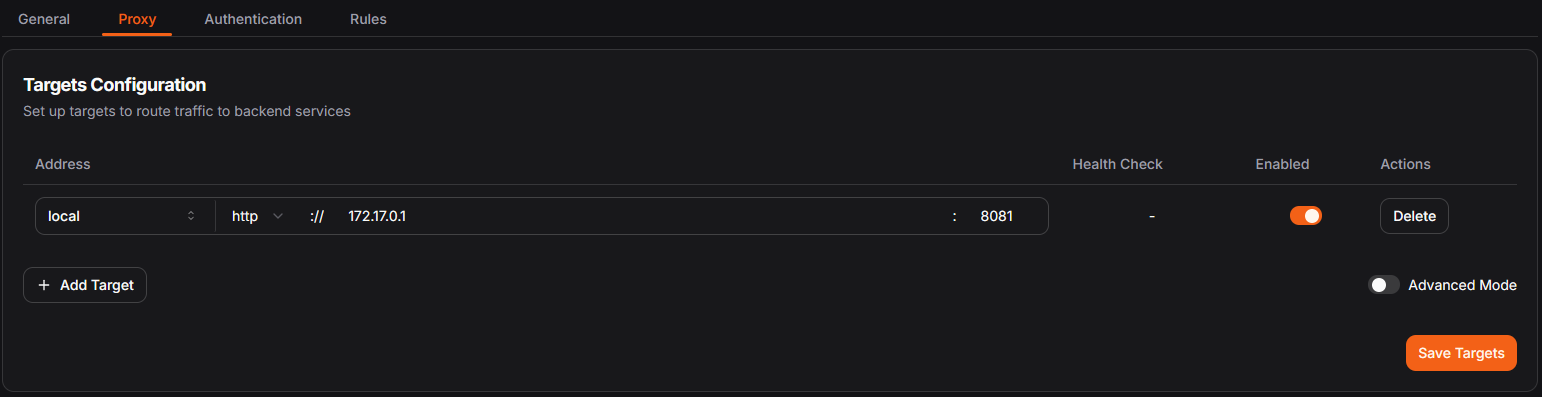
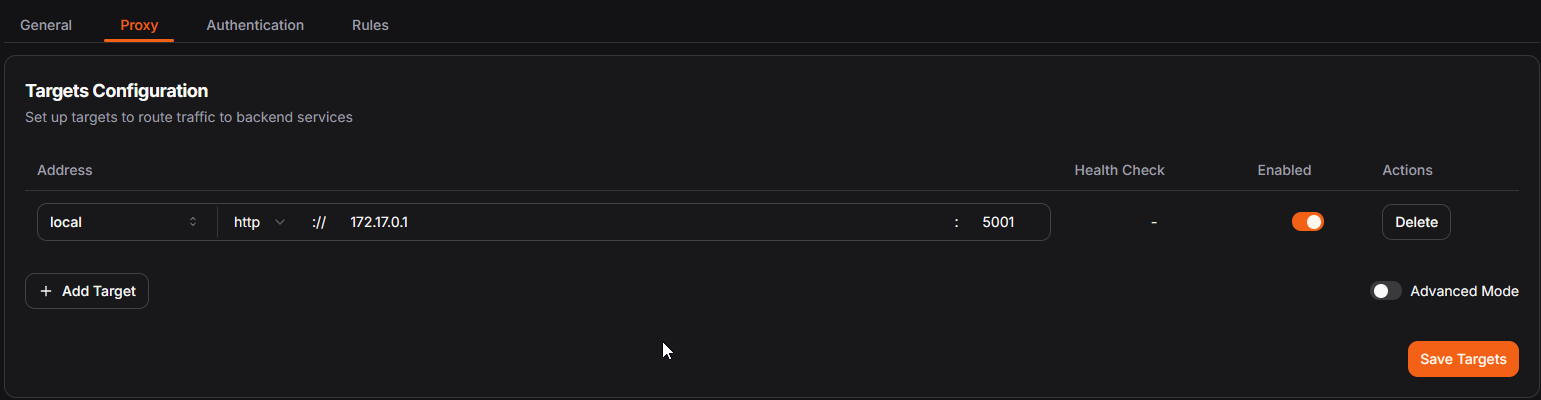
- Create a local resource inside of Pangolin
Site: local
address: http://172.17.0.1
port: 5001
Screenshot of Pangolin Resource
¶ Uptime-Kuma
You can use Uptime Kuma to easily monitor some services, you can set it up with SMS, Discord Webhooks and other methods to notify you if there is any outage / connectivity issues.

- Create a new compose in Dockge
Compose File
services:
  uptime-kuma:
    image: louislam/uptime-kuma:2
    container_name: uptime-kuma
    restart: always
    ports:
      - "3001:3001"  # This maps the container port "3001" to the host port "3001"
    volumes:
      - /path/to/data:/app/data  # Configuring persistent storage
    environment:
      - TZ=UTC  # Set the timezone (change to your preferred local timezone so monitoring times are the same)
      - UMASK=0022  # Set your file permissions manually
    networks:
      - kuma_network  # add your own custom network config
    healthcheck:
      test: ["CMD", "curl", "-f", "http://localhost:3001"]
      interval: 30s
      retries: 3
      start_period: 10s
      timeout: 5s
    logging:
      driver: "json-file"
      options:
        max-size: "10m"
        max-file: "3"

networks:
  kuma_network:
    driver: bridge
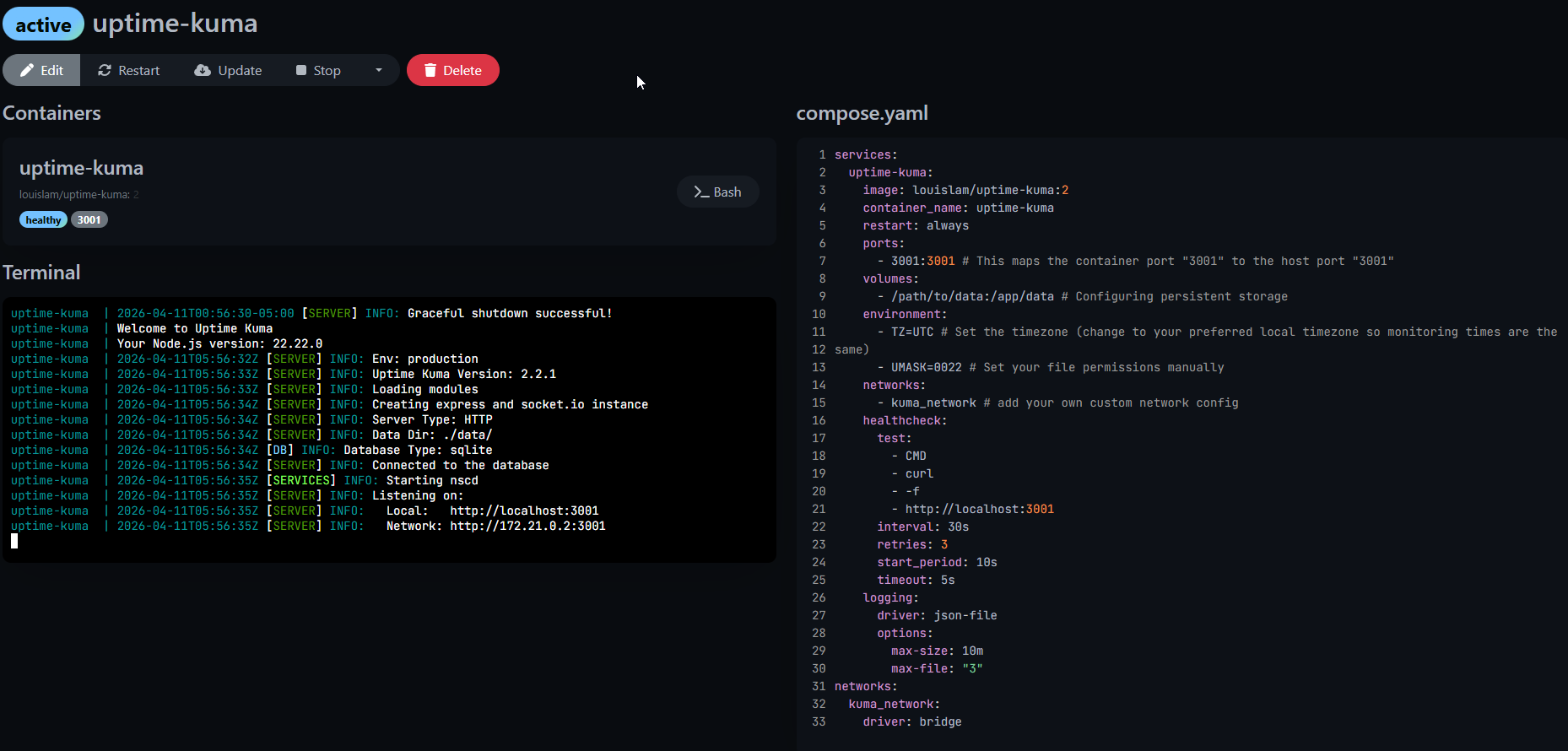
- Start inside of Dockge
Screenshot of Dockge
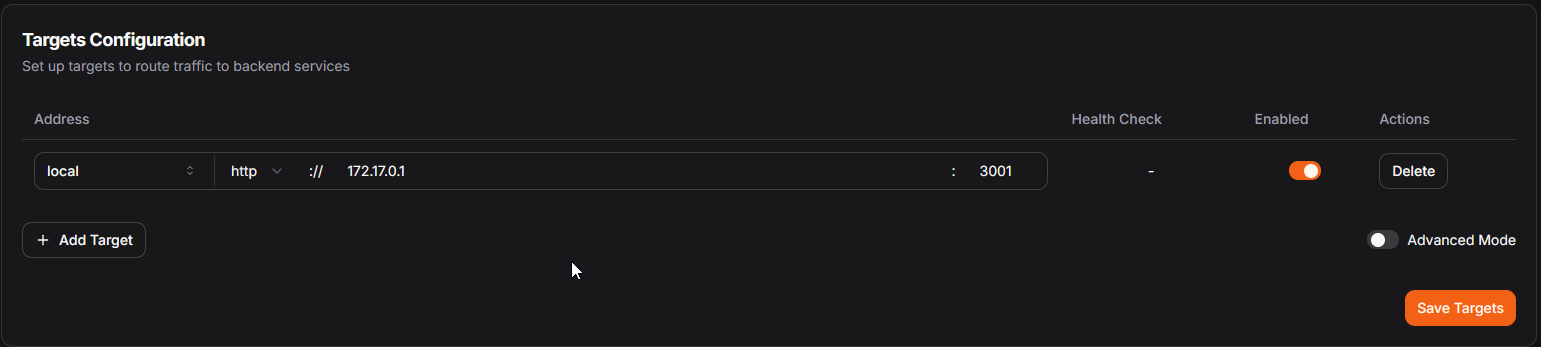
- Setup a new resource in Pangolin
site: local
address: http://172.17.0.1
port: 3031
Screenshot of Pangolin Resource
¶ Wiki.js
Wiki.js is a powerful software, I use it for this wiki actually!! However, I don't have it deployed on a VPS. There are a lot of advantages to hosting it on a VPS though, if your local network goes down your Wiki page doesn't drop in case you need to check documentation.

- Create a new compose in Dockge
Compose File
services:
  db:
    image: postgres:15-alpine
    container_name: wikijs-db
    environment:
      POSTGRES_DB: wiki
      POSTGRES_USER: wikijs
      POSTGRES_PASSWORD: ${DB_PASS}
    volumes:
      - db-data:/var/lib/postgresql/data
    restart: unless-stopped

  wiki:
    image: ghcr.io/requarks/wiki:2
    container_name: wikijs
    depends_on:
      - db
    environment:
      DB_TYPE: postgres
      DB_HOST: db
      DB_PORT: 5432
      DB_USER: wikijs
      DB_PASS: ${DB_PASS}
      DB_NAME: wiki
    ports:
      - "8081:3000"
    restart: unless-stopped

volumes:
  db-data:
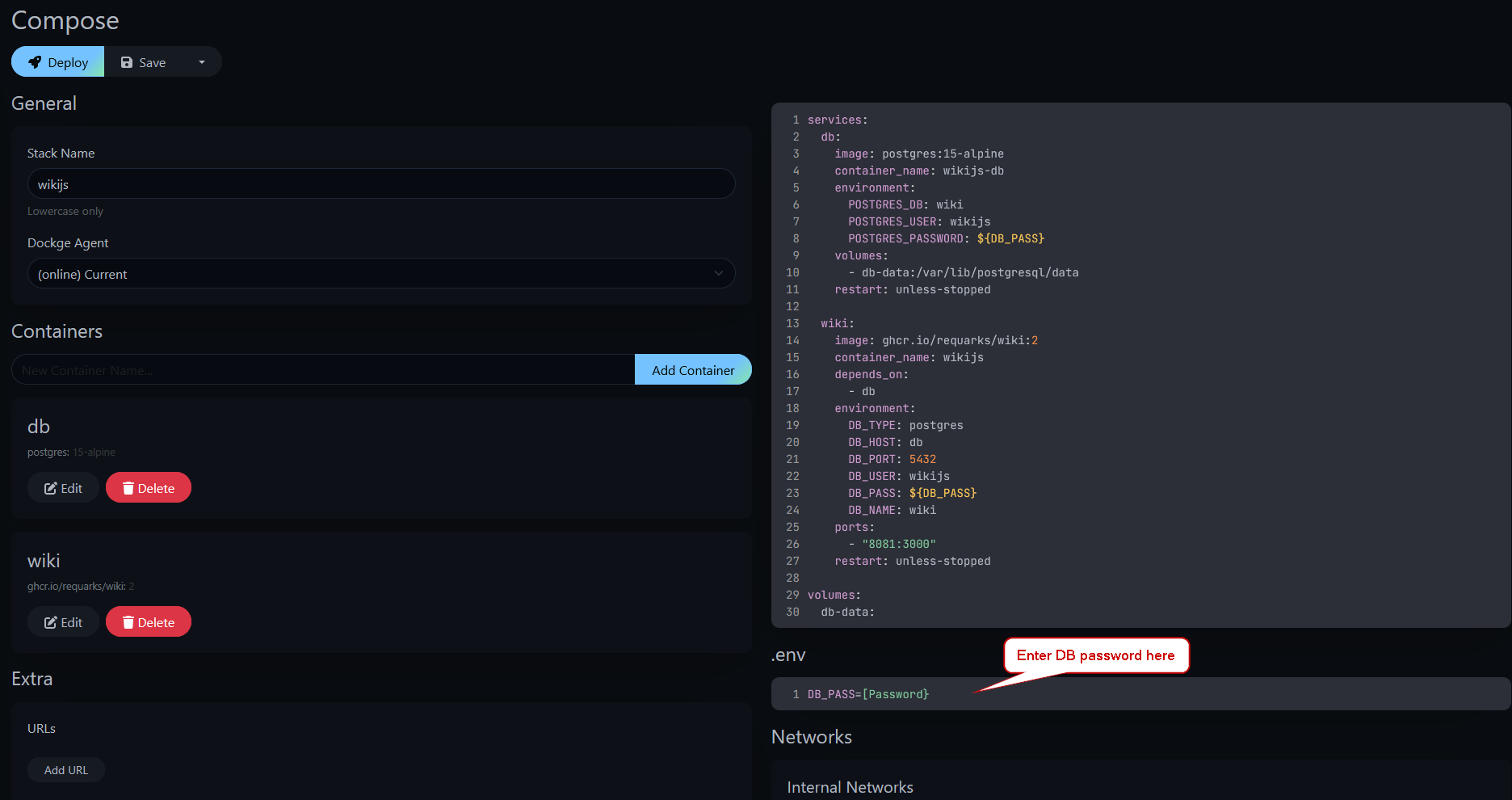
- Put your DB password into the .env file
Screenshot of Dockge .env
- Deploy containers and start them
- Create a new Pangolin resource
site: local
address: http://172.17.0.1
port: 8081
Screenshot of Pangolin Resource